

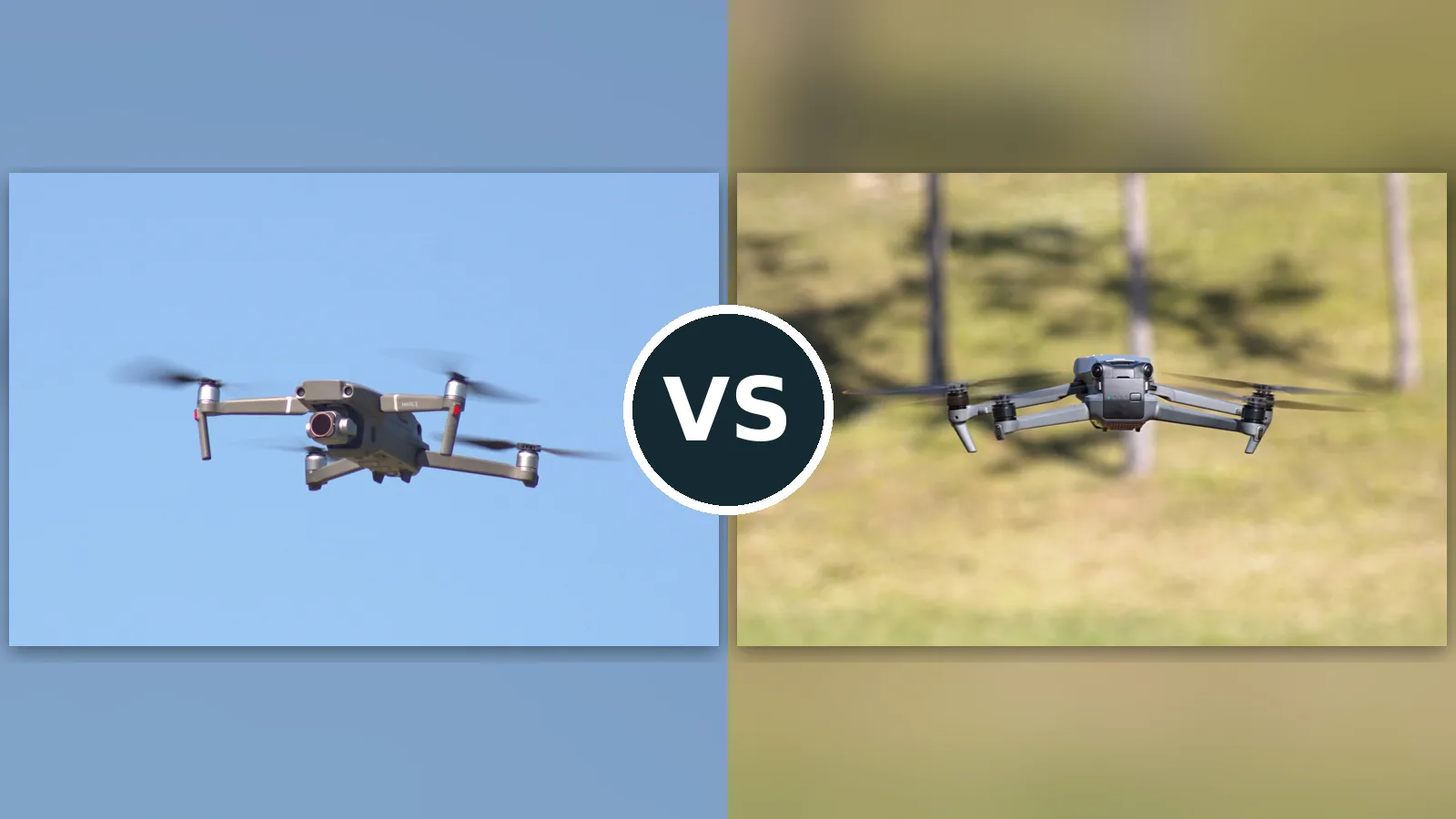
Put a DJI Mavic 2 Pro next to a DJI Mavic 3 Classic and you are looking at the same idea separated by three years of progress. The Mavic 2 Pro was the drone that proved a folding consumer quadcopter could carry a serious 1-inch camera, with a Hasselblad badge, an adjustable aperture, and a 10-bit color profile that editors could actually grade. The Mavic 3 Classic keeps that single-camera philosophy but rebuilds everything around it: a larger 4/3 sensor, 5.1K video, a transmission system with nearly double the range, and a rated flight time that jumped from 31 minutes to 46. The catch is how you buy them. The Mavic 2 Pro is discontinued, so every example on sale today is used, renewed, or old stock with batteries of unknown history. The Mavic 3 Classic is a current product with a warranty and fresh cells. This comparison works through the cameras, the flight experience, the safety systems, and the honest risks on both sides, so you can decide whether the smarter buy is the modern machine or the legendary one at a used-market price.
Affiliate disclosure: As an Amazon Associate I earn from qualifying purchases. This page contains affiliate links. If you buy through them, we may earn a commission.
Mavic 3 Classic for almost everyone. Mavic 2 Pro for bargain hunters.
DJI Mavic 3 Classic is the pick if you want the strongest single-camera file in this pairing: a 4/3 sensor with cleaner low light, 5.1K video, 4K slow motion at 120 fps, 46 minutes of rated flight, O3+ transmission out to 15 km, and a factory warranty behind it. DJI Mavic 2 Pro is the pick if you find a clean used example at a sharp price and mostly shoot stills or straightforward 4K: its 1-inch Hasselblad camera with an adjustable f/2.8 to f/11 aperture is still genuinely good, and it flies with the same calm, planted feel pilots loved. Camera ceiling: Mavic 3 Classic. Flight confidence: Mavic 3 Classic again, with newer sensing software. Value per dollar: the Mavic 2 Pro, but only if the batteries check out, because that is where these used bargains live or die.

DJI Mavic 2 Pro
For stills shooters and careful 4K video work on a used-market budget
- 1-inch Hasselblad camera with an adjustable f/2.8 to f/11 aperture, still rare at this price level
- 10-bit Dlog-M and HDR video profiles that grade far better than most drones of its era
- Discontinued since 2022: used or renewed units only, with aging batteries as the main ownership risk
Check current availability and bundle options on Amazon

DJI Mavic 3 Classic
For creators who want the best single-camera file, long flights, and a warranty
- 4/3 Hasselblad camera recording 5.1K at 50 fps and 4K at 120 fps, with 10-bit D-Log
- 46 minutes of rated flight and O3+ transmission rated to 15 km with a 1080p live view
- Costs flagship money and carries a single focal length, so tighter shots mean flying closer
Check current availability and bundle options on Amazon
One camera each, two very different buying decisions
Most drone comparisons are about features. This one is about risk. The Mavic 3 Classic asks for more money and removes almost every unknown. The Mavic 2 Pro asks for homework and rewards it with a serious camera at a fraction of the cost.
Start with why the Mavic 2 Pro still gets recommended at all, years after DJI stopped making it. When it launched in 2018 it was the first folding drone with a 1-inch sensor, and the gap between it and everything else at its size was enormous. The Hasselblad color science was calmer and more natural than the oversaturated look of earlier Mavics, the aperture adjusted from f/2.8 to f/11 so you could control shutter speed for video without stacking ND filters as often, and the 10-bit Dlog-M profile gave editors real material to grade. Photographers built portfolios on this drone, and the files still hold up today, especially in good light where its sensor size does the heavy lifting.
The Mavic 3 Classic is what happened when DJI pushed that formula forward. The sensor grew to 4/3, which is a meaningful step for dynamic range and high-ISO cleanliness, and the video ceiling moved to 5.1K with 4K slow motion at 120 fps. Around the camera, everything else modernized too: APAS 5.0 obstacle avoidance that routes around objects more smoothly, ActiveTrack 5.0 subject tracking, Waypoint Flight for repeatable moves, and a transmission link rated to 15 km that holds a stable 1080p feed far beyond where the older OcuSync 2.0 system starts to feel its age. It flies for a rated 46 minutes per battery, which changes how you plan a shoot day.
So the real question is not which drone is better. On paper and in the air, the Mavic 3 Classic wins nearly every row of the table below. The question is whether the Mavic 2 Pro is better value, and that depends entirely on the individual used example in front of you. A low-cycle Mavic 2 Pro with three healthy batteries, bought from a careful owner, is one of the best camera-per-dollar deals in the used drone market. A tired example with swollen or short-life batteries is a false economy, because replacement batteries are themselves discontinued stock of uncertain age. Buy the Classic and that entire category of worry disappears. If your budget stretches to it and you shoot for clients, take the warranty and the bigger sensor. If you are a hobbyist who enjoys the hunt and mostly shoots stills in decent light, the Mavic 2 Pro remains a genuinely satisfying machine.
One more buyer deserves a mention: the Mavic 3 shopper who has noticed the rest of the family. If the Classic’s single camera feels limiting, the same airframe with a telephoto exists one rung up, and our Mavic 3 Classic vs Mavic 3 Pro comparison covers exactly that fork. The Mavic 2 Pro has no such ladder: what you see is the complete 2018 flagship, frozen at its best. Some buyers love that finality, because there is no upsell waiting in the next tab. Others feel the platform’s age every time they open the older app. Both reactions are honest signals about which of these two drones belongs in your bag.
Mavic 2 Pro vs Mavic 3 Classic: The Spec Sheet, Line by Line
Three years separate these drones, and the table shows where those years went: sensor size, frame rates, flight time, and link range. The Mavic 2 Pro still defends itself on aperture control and sheer value, but the Classic pulls ahead almost everywhere else.
| Feature | DJI Mavic 2 Pro | DJI Mavic 3 Classic |
|---|---|---|
| Best suited to | Stills photography and careful 4K video on a used-market budget | Wide angle flagship shooting with a simple, lighter kit |
| Takeoff weight | 907 g | 895 g |
| Dimensions (folded) | 214 x 91 x 84 mm | 221 x 96.3 x 90.3 mm |
| Sensor and lenses | 1-inch CMOS, 20MP, 28mm equivalent, f/2.8 to f/11, 77-degree FOV | 4/3-inch CMOS, 20MP Hasselblad, 24mm equivalent, f/2.8 to f/11 |
| Video modes | 4K/30fps, 2.7K/60fps, 1080p/120fps | 5.1K at 50 fps, 4K at 120 fps, 1080p at 200 fps |
| Color and codecs | 10-bit Dlog-M, 10-bit HDR (HLG), H.264/H.265, up to 100 Mbps; JPEG and DNG RAW | 10-bit D-Log and HLG, H.264/H.265; JPEG and DNG RAW |
| Vertical capture | Cropped in post; no native vertical mode | Cropped in post; no native vertical mode |
| Gimbal | 3-axis mechanical (tilt, roll, pan) | 3-axis mechanical (tilt, roll, pan) |
| Obstacle sensing | Omnidirectional with APAS | Omnidirectional with APAS 5.0 |
| Subject tracking | ActiveTrack 2.0, Point of Interest 2.0, Waypoints 2.0, Hyperlapse | ActiveTrack 5.0, Waypoint Flight, Cruise Control, MasterShots, Hyperlapse, Night Shots |
| Rated flight time | 31 minutes (29 minutes hovering) | 46 minutes |
| Real-world flight time | Not tested by us; reviewers reported roughly 25 to 27 minutes of mixed flying when new, and used batteries deliver less | Not tested by us; expect low to mid thirties in mixed real conditions |
| Max speed | 72 km/h in Sport mode | 21 m/s (75.6 km/h) in Sport mode |
| Video transmission | OcuSync 2.0, up to 8 km FCC, 1080p live view | DJI O3+, up to 15 km FCC, 1080p/60fps live view |
| Wind resistance | 29 to 38 km/h (Level 5) | 12 m/s, about 43 km/h (Level 6) |
| Internal storage | 8 GB built in, plus microSD up to 128 GB | 8 GB built in, plus microSD up to 512 GB |
| Controller and bundle | Standard RC with phone mount; Smart Controller edition also sold | DJI RC-N1, DJI RC, or DJI RC Pro depending on bundle |
| Main trade-off | Discontinued: used or renewed only, with aging batteries as the main risk | Flagship price, and a single focal length for the money |
Keep manufacturer ratings separate from measured results. Sources are listed by name in the methodology section below.
Five Differences That Decide Whether to Upgrade
If you already own a Mavic 2 Pro, this section is your upgrade decision. If you own neither, it tells you exactly what the extra money buys and where the old drone honestly fights back.
1. The sensor: 4/3 buys you light, not megapixels
Edge: Mavic 3 ClassicBoth cameras shoot 20MP stills, so the difference is not resolution, it is what each pixel can capture. The Mavic 3 Classic’s 4/3 sensor has substantially larger photosites than the Mavic 2 Pro’s 1-inch sensor, and that shows up in the two places drone footage usually falls apart: dynamic range and low light. Shoot toward a sunset and the Classic holds more detail in the sky while keeping the shadows usable. Shoot at dusk and its files stay cleaner at the ISOs where the Mavic 2 Pro starts to smear fine detail with noise reduction. Both cameras carry the Hasselblad badge and its natural color science, both offer an adjustable aperture from f/2.8 to f/11, and both record 10-bit log profiles, Dlog-M on the older drone and D-Log on the Classic, so grading workflows feel familiar on either.
Where the Mavic 2 Pro defends itself is character and cost. Its lens is a 28mm equivalent, slightly tighter than the Classic’s 24mm, which some stills shooters prefer for less distorted edges. And in bright, even light, where neither sensor is stressed, the gap narrows to the point where many viewers would not spot which drone took the shot. The Classic wins this round clearly, but the win is about difficult light, not about easy afternoons.
2. Video ceilings: 4K/30 against 5.1K and real slow motion
Edge: Mavic 3 ClassicThe Mavic 2 Pro tops out at 4K/30 in full quality, with 2.7K/60 and 1080p/120 below that. That was flagship territory in 2018 and it still produces clean, professional 4K today, but it cannot shoot 4K/60, which is the frame rate many creators now treat as the default for smooth motion with slow-motion headroom. The Mavic 3 Classic records 5.1K at up to 50 fps, which downscales beautifully to 4K or leaves room to crop, and 4K at up to 120 fps for genuine slow motion, plus 1080p at 200 fps. If your work involves movement, sports, vehicles, water, anything where slowing the moment down matters, the Classic is playing a different sport.
One historical footnote matters for Mavic 2 Pro shoppers: its 4K modes include a full field-of-view mode and a cropped HQ mode, and the full FOV mode is softer than the headline spec suggests. Informed owners shoot HQ for quality, which narrows the view. The Classic has no such compromise hiding in the menu. Its best quality is simply its best quality, at every headline frame rate.
3. Flight time and link: the working-day difference
Edge: Mavic 3 ClassicRated flight time jumps from 31 minutes on the Mavic 2 Pro to 46 minutes on the Mavic 3 Classic, and even after you discount both figures for real wind and real flying, the Classic gives you roughly ten extra working minutes per battery. Over a three-battery shoot day that is the difference between landing to swap at every location and finishing locations in one flight. The transmission gap matters just as much: OcuSync 2.0 on the Mavic 2 Pro is rated to 8 km under FCC rules, while the Classic’s O3+ link is rated to 15 km with a 1080p/60 live view. Nobody should fly anywhere near those distances, but link budget is really about signal stability at legal range, around buildings, trees, and interference, and there the newer system is simply stronger.
The honest caveat belongs to the Mavic 2 Pro’s batteries. Its rated 31 minutes described a new battery in 2018. A used example in 2026 may deliver far less, and flight time is the spec that degrades first. When you audition a used Mavic 2 Pro, the battery cycle counts and a full test flight tell you more than the listing photos do. The Classic, bought new, starts at full health with a warranty behind the cells.
4. Sensing and smarts: same checklist, smarter execution
Edge: Mavic 3 ClassicOn a checklist these two look closer than they are. Both offer omnidirectional obstacle sensing, subject tracking, waypoint flying, and hyperlapse. The generations differ. The Mavic 2 Pro runs APAS and ActiveTrack 2.0, which were pioneering in 2018: it can follow a subject, route around obstacles, and fly simple waypoint missions. The Mavic 3 Classic runs APAS 5.0 and ActiveTrack 5.0, which track more stubbornly through brief occlusions, plan smoother avoidance paths instead of stopping dead, and add Cruise Control for steady cinematic moves and MasterShots for automated shot sequences. The Classic also adds Night Shots processing for cleaner low light video.
Neither system makes the drone uncrashable, and both reward pilots who treat sensing as a safety net rather than a plan. But the newer software is noticeably calmer to fly with, especially in cluttered environments where the older APAS can feel hesitant. For a beginner choosing between them, the Classic is the more forgiving teacher. For an experienced pilot, the Mavic 2 Pro’s simpler systems are entirely workable, just less polished.
5. Ownership: warranty and parts against used-market value
Edge: Mavic 2 Pro, if you buy carefullyThe Mavic 3 Classic is the straightforward purchase: current product, fresh batteries, firmware support, spare parts on shelves, and a warranty. The Mavic 2 Pro is a project purchase. DJI ended production years ago, so you are shopping used or renewed stock, and the quality of what you get ranges from mint, low-cycle kits to tired ex-rental machines. The homework list is specific: check every battery for swelling and cycle count, confirm the gimbal is smooth and the lens is clean, verify all arms fold without play, and make sure the controller and charger are the correct originals. Do that homework and you can own a 1-inch Hasselblad drone for the price of a modern mini drone, which is a remarkable trade.
Also weigh support horizons. The Mavic 2 Pro flies on the DJI GO 4 app, which no longer receives feature updates, while the Classic uses the current DJI Fly ecosystem. Both fly fine today, but the newer platform will age more gracefully. Resale cuts the other way: the Mavic 2 Pro has already taken its depreciation hit, so a good example bought well can be sold later for much of what you paid.
Step back from the individual rounds and a pattern emerges: the Mavic 3 Classic wins on capability ceilings, the sensor, the frame rates, the endurance, the link, while the Mavic 2 Pro wins on the ratio between capability and cost. That is why this pairing resists a single universal answer. A professional shooting weekly will extract the Classic’s advantages on every job and amortize its price quickly. A talented hobbyist who flies twice a month will extract the Mavic 2 Pro’s camera almost fully and the Classic’s ceiling rarely. Match the drone to your actual calendar, not your aspirational one, and the five rounds above stop arguing with each other.
Mavic 2 Pro vs Mavic 3 Classic: What You Gain, What You Give Up
DJI Mavic 2 Pro
Reasons to choose it
- 1-inch Hasselblad camera with adjustable aperture at a used-market price nothing new can match
- 10-bit Dlog-M files that still grade beautifully for stills and straightforward 4K work
- Omnidirectional sensing, ActiveTrack 2.0, and a calm, planted flight character
- Depreciation already paid by someone else: bought well, it holds its value
Reasons to reconsider
- Used or renewed only: battery health and airframe condition vary by example
- Video ceiling of 4K/30, with no 4K/60 and a softer full-FOV mode
- Older DJI GO 4 app and a discontinued parts pipeline
DJI Mavic 3 Classic
Reasons to choose it
- 4/3 Hasselblad sensor with the best dynamic range and low light in this pairing
- 5.1K/50 and 4K/120 video, plus 46 rated minutes and a 15 km O3+ link
- APAS 5.0, ActiveTrack 5.0, Waypoint Flight, and Night Shots
- Bought new with warranty, fresh batteries, and current software support
Reasons to reconsider
- Flagship pricing for a single fixed focal length
- Heavier software complexity than casual flyers will ever use
- No telephoto camera: step up to the Mavic 3 Pro if you need reach
Used batteries and bundle contents: check these twice
More money is wasted on bad examples and wrong bundles than on the choice between these drones. Run through this list against the exact listing in front of you.
- Batteries, Mavic 2 Pro: Ask for cycle counts on every battery and reject any with swelling, cracks, or error histories. Budget for the possibility that at least one pack is tired.
- Condition, Mavic 2 Pro: Check the lens for haze and scratches, run the gimbal through its full range, and confirm the arms have no crash play. A short test flight video from the seller is worth asking for.
- Controller, Mavic 3 Classic: Confirm which controller the bundle includes. The DJI RC has a built-in screen; the RC-N1 needs your phone. Both fly the drone equally well.
- Fly More value: On the Classic, the Fly More Combo’s extra batteries and charging hub usually beat buying spares separately. On the Mavic 2 Pro, judge any multi-battery kit by the batteries’ health, not their count.
- Listing basics: Verify exact model, condition grade, seller, warranty, and return terms before paying, especially on marketplace listings for the discontinued drone.
- Local requirements: Both drones are far above 250 g, so registration and rule compliance apply in most regions. Check your aviation authority’s current requirements.
The Classic is the better drone. The 2 Pro can be the better buy.
Choose the DJI Mavic 3 Classic if you want the decision made for you: the biggest sensor, the highest frame rates, the longest flights, the strongest link, and a warranty. It is the drone we would hand to a working creator without a second thought. Choose the DJI Mavic 2 Pro if you enjoy buying well: a verified, low-cycle example delivers a genuinely professional 1-inch camera for stills and honest 4K at a price that leaves money for batteries, filters, and travel. Just never buy one blind. The gap between a good used example and a bad one is the entire ballgame.
Still deciding?
Is the Mavic 3 Classic a big upgrade over the Mavic 2 Pro?
For video and low light, yes. The 4/3 sensor, 5.1K recording, 4K/120 slow motion, and 46-minute flights are generational steps. For stills in good light the gap is smaller, because the Mavic 2 Pro’s 1-inch Hasselblad camera was excellent to begin with. Judge the upgrade by your hardest shooting conditions, not your easiest.
Is it safe to buy a used Mavic 2 Pro in 2026?
It can be, if you buy the example rather than the model. Prioritize low battery cycle counts, no swelling, a clean lens, a smooth gimbal, and a seller who can show a recent test flight. Avoid listings that cannot answer battery questions. Renewed units with a return window are the lower-risk route.
Which drone is better for photography?
The Mavic 3 Classic, on sensor size alone: the 4/3 chip holds more dynamic range and stays cleaner as light falls, and both shoot 20MP DNG raw files. The Mavic 2 Pro remains a strong stills camera in good light, and its slightly tighter 28mm lens flatters some subjects.
Which bundle should I buy?
On the Mavic 3 Classic, the Fly More Combo with the DJI RC is the sweet spot for most creators, since extra batteries transform the 46-minute rating into a real shoot day. On the Mavic 2 Pro, a two or three battery kit with verified low cycles beats a bigger kit of tired packs.
Can I still get parts and batteries for the Mavic 2 Pro?
Yes, with some hunting. Because the Mavic 2 series sold in large numbers for years, batteries, propellers, arms, and gimbal parts still circulate through DJI’s remaining stock, third-party sellers, and the used market. Prices and quality vary, so buy batteries from sellers who can state cycle counts, and treat any swollen pack as scrap. The Mavic 3 Classic, as a current platform, has none of these supply questions.
How were these drones compared?
This is a research-based comparison built from DJI’s published specifications and documentation for both models, cross-checked between sources, with ownership risks for the discontinued model assessed from its support status. Our full method is described below.
How this comparison was prepared
This comparison is research-based. We did not fly either drone for this article, and nothing here should be read as hands-on testing. Every specification in the table was taken from DJI’s published documentation for the DJI Mavic 2 Pro and DJI Mavic 3 Classic, including official specification listings and user manuals, and each figure was checked against the matching figure for the other drone so that rated values are compared like for like. Flight times quoted are manufacturer rated maximums under ideal conditions; real flights are shorter, and used Mavic 2 Pro batteries will usually deliver less than their original rating. Sources are listed by name only below, in line with this site’s editorial policy.
Sources
- DJI Mavic 2 Pro official specifications
- DJI Mavic 3 Classic official specifications
- DJI Mavic 2 Pro user manual
- DJI Mavic 3 Classic user manual
- DJI OcuSync 2.0 and O3+ transmission documentation
Last verified: October 20, 2026. Specifications, bundles, and availability may vary by region and version.


